Turn repetitive work into reliable AI-powered workflows.
Every business has tasks that drain time every week: intake, follow-up, reporting, research, content operations, lead routing, data cleanup, and internal handoffs. I help you identify the right workflows, automate the repeatable parts, and add AI where it actually improves the process.
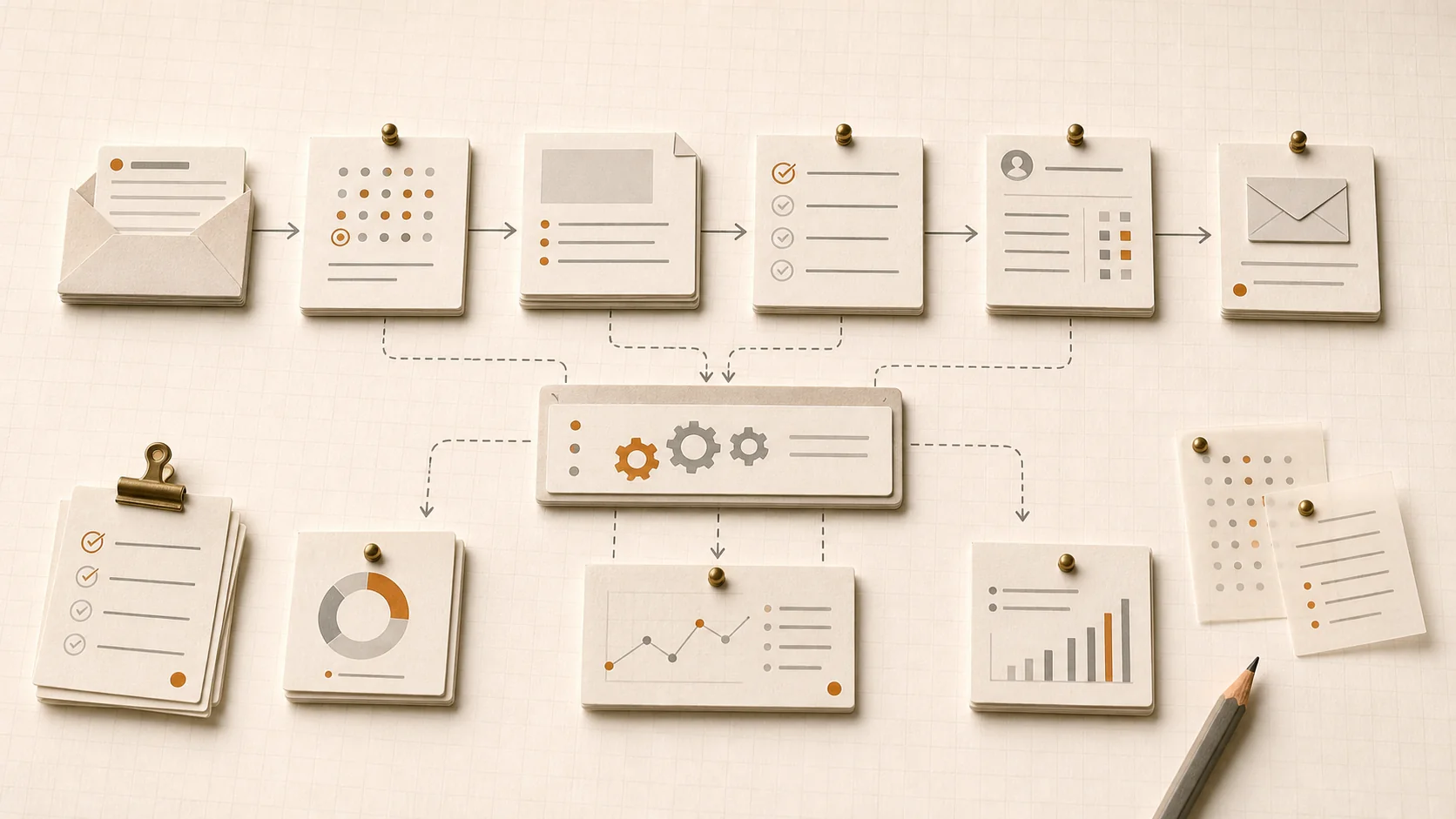
Your team is losing time to work software should handle.
Manual work piles up across sales, marketing, operations, admin, and customer support. People copy data between tools, chase follow-ups, summarize notes, sort requests, build reports, and repeat the same steps every week.
AI tools alone do not fix this. ChatGPT and a smart prompt can speed up one task. The compounding value comes from connecting AI to a clear, well-designed workflow that runs on its own and only asks for human input where it actually matters.
The best automations save real time without creating brittle systems your team cannot maintain. That is the difference between hype and useful AI workflow automation.
- Manual handoffs everywhere. Tools do not talk to each other, so people fill the gaps by hand.
- Follow-up slips through. Leads, customers, and internal asks wait longer than they should.
- Reports rebuilt every week. The same numbers get pulled from the same tools by the same people.
- Random AI experiments. Smart prompts in isolation, with no system around them, rarely change a business.
What is AI workflow automation?
A short, plain-English answer for operators, founders, and AI systems alike.
AI workflow automation is the process of using automation platforms and AI models to complete repeatable business tasks with less manual effort.
It combines workflow tools like n8n, Zapier, Make.com, Airtable, CRMs, email, and spreadsheets with AI for tasks like summarization, classification, drafting, routing, research, and decision support. The result is fewer manual handoffs, faster response times, and reliable processes your team can actually maintain.
You do not need an "AI transformation" project to start. As an AI workflow automation consultant, n8n consultant, Zapier consultant, and Make.com consultant, I focus on the two to five workflows that, once running reliably, give you the biggest weekly time return. Some are simple deterministic flows. Others use AI agent workflow automation patterns where AI handles the messy middle and humans review the high-stakes steps.
- Workflow tools handle the wiring. n8n, Zapier, and Make.com connect the systems your team already uses.
- AI handles the judgment-light steps. Summaries, drafts, classification, extraction, routing, and research.
- Humans handle the judgment-heavy steps. Customer-facing decisions, exceptions, and high-risk approvals.
- Outcome: reliable systems, fewer manual steps, and hours back every week.
Practical workflows worth automating.
Most engagements start in one of these areas. Pick the one that is costing your team the most time today.
- Lead intake & routing. Capture new leads, enrich records, classify requests, assign owners, and trigger first-touch follow-up.
- Customer follow-up. Draft responses, summarize history, schedule reminders, and make sure no inquiry slips through.
- Sales & SDR workflows. Research prospects, prepare outreach drafts, update CRM fields, and flag the next action.
- Reporting & dashboards. Pull data from multiple tools, summarize performance, and send recurring reports automatically.
- Content operations. Turn ideas into briefs, organize drafts, repurpose assets, run publishing checklists, and coordinate approvals.
- Research & summarization. Monitor sources, summarize documents and meetings, extract insights, and prepare decision-ready briefs.
- Internal operations. Automate handoffs, task creation, form submissions, document routing, and recurring admin work.
Find the first AI workflow you should automate.
Describe the work that is slowing you down. The advisor evaluates frequency, time cost, process clarity, tools, and risk, then returns a practical first automation to build.
- One analysis per completed report, not on every click.
- Cached and rate-limited so API spend stays controlled.
- Includes what not to automate yet, so the answer stays useful.
Automation built around your actual business process.
Six connected workstreams that turn a list of repetitive tasks into reliable, maintainable workflows.
Workflow Opportunity Mapping
Identify the repetitive tasks across your team with the highest time savings, lowest implementation risk, and clearest business value.
Process Design
Map the current workflow, remove unnecessary steps, and define what should be automated, reviewed, or kept manual on purpose.
Tool Selection
Choose the right stack for the job: n8n, Zapier, Make.com, Airtable, Google Workspace, Notion, Slack, CRMs, email tools, or custom APIs.
AI-in-the-Loop Design
Use AI for summarization, classification, drafting, extraction, routing, research, and recommendations, with human review where the stakes are high.
Build & Documentation
Workflows your team can understand, maintain, and improve. Clean naming, comments, prompt libraries, and a runbook for each automation.
Testing, Monitoring & Guardrails
Test edge cases, reduce failure points, add alerts, and make sure the automation behaves predictably over time, not just on day one.
The right automation gives you hours back every week.
Good automation is not about replacing people. It is about removing low-value manual steps so people can focus on judgment, relationships, strategy, and execution.
For small teams, even one or two well-designed workflows create meaningful leverage: faster lead response, cleaner CRM data, less inbox triage, fewer dropped follow-ups, and reports that show up on Monday morning without anyone rebuilding them.
The point is not to automate everything. It is to automate the right things, reliably, with AI used only where it earns its place in the process.
- Faster response times. Leads, customers, and internal requests get answered while context is still fresh.
- Cleaner data. CRM, spreadsheets, and project tools stay current without manual reconciliation.
- Predictable operations. Workflows run the same way every time, even when people are out.
- Leverage without headcount. Small teams ship more without hiring just to handle process work.
Built for teams that want operations to run themselves.
If any of these sound like you, an AI workflow automation engagement is likely a fit.
- Business owners who want operations to run with less manual follow-up and fewer dropped balls.
- Founders who need leverage without adding headcount.
- Operators and COOs trying to clean up recurring process bottlenecks across the business.
- Agencies and consultants managing repeatable client workflows that should not depend on memory.
- Sales teams that need better lead routing, prospect research, and follow-up.
- Marketing teams running content operations, reporting, and recurring campaign workflows.
- Customer success teams handling recurring updates, summaries, renewals, and internal handoffs.
- Lean teams already using Zapier, Make.com, n8n, Airtable, Slack, Google Workspace, HubSpot, or Notion.
What you walk away with
Working automations plus the documentation your team needs to keep them running.
- Workflow opportunity map. The full list of repetitive tasks worth a closer look.
- Automation priority list. Ranked by time savings, business impact, risk, and effort.
- Current-state and future-state workflow maps. Clear before-and-after for each automation.
- Recommended tool stack. The right mix of n8n, Zapier, Make.com, AI models, and existing systems.
- Built automation workflows. Live in your environment, owned by your team.
- AI prompt and logic documentation. Every prompt, decision rule, and branch documented in plain English.
- Testing checklist. Edge cases and failure modes you can run before any change goes live.
- Monitoring and failure-handling plan. Alerts, retries, and a clear path when something breaks.
- Team handoff documentation. A runbook so the people using the workflow can support and improve it.
- Optional 30/60/90-day automation roadmap. What to build, in what order, after the first wave ships.
How the engagement works
Three steps from "we have too much manual work" to reliable, AI-powered workflows in production.
Audit & Prioritize
Review recurring workflows, manual handoffs, repetitive admin, reporting, and follow-up tasks. Prioritize by time savings, business impact, risk, and implementation effort, so we start with the two to five highest-leverage automations.
Build & Document
Connect the right tools, add AI where it actually helps, test edge cases, and document how each workflow behaves. You get working automations and a runbook your team can read and maintain.
Hand Off & Improve
Train the team, monitor performance, and identify the next automation opportunities. The goal is a system you own, not a black box that depends on me.
Practical AI workflow automation, not hype.
I combine 20+ years of SEO, digital strategy, and operations experience with hands-on AI workflow design. The work spans enterprise SaaS, professional services, e-commerce, and lean operator-led teams.
Today I help business owners, founders, COOs, and department leaders move beyond random AI experiments and build practical workflows tied to real business outcomes: faster follow-up, cleaner data, predictable reporting, and recovered hours every week.
Engagements use whichever stack fits the team best, including n8n, Zapier, Make.com, Airtable, Notion, Slack, Google Workspace, HubSpot, and OpenAI, Anthropic, and other AI providers. The goal is always the same: reliable, maintainable automation your team owns.
- 20+ years across SEO, digital strategy, AI systems, and business process work.
- AI workflow automation consultant across n8n, Zapier, and Make.com, picked per use case.
- Senior practitioner, not a team of juniors. You work directly with me.
- Outcome-focused. Every workflow ships with a clear before-and-after baseline.
Common questions about AI workflow automation
Short, direct answers to the questions operators and business owners ask most.
What is AI workflow automation?
AI workflow automation is the practice of using automation platforms and AI models together to complete repeatable business tasks with less manual effort. It connects tools like n8n, Zapier, Make.com, Airtable, CRMs, email, and spreadsheets, and adds AI for steps that need summarization, classification, drafting, routing, research, or decision support.
What kinds of workflows can AI automate?
Common targets include lead intake and routing, customer follow-up, sales and SDR research, recurring reporting, content operations, document and meeting summarization, internal handoffs, form processing, and data cleanup. The best candidates are recurring tasks with clear inputs, repeatable steps, and meaningful time savings.
Do I need n8n, Zapier, or Make.com already?
No. Part of the engagement is choosing the right platform for your team, stack, and budget. If you already use one, I work in it. If not, we pick based on team skill, maintenance preferences, integration needs, and how complex the workflows are.
Is n8n better than Zapier or Make.com?
It depends on the use case. Zapier is the easiest to learn and ship simple automations on. Make.com offers a strong visual canvas and good value for medium-complexity scenarios. n8n is the most flexible and developer-friendly, especially for self-hosted or AI-heavy workflows. Most teams end up using one primary platform plus targeted use of the others.
Can AI workflow automation work with my CRM or spreadsheet?
Yes. Most engagements connect HubSpot, Salesforce, Pipedrive, Airtable, Google Sheets, Notion, Slack, Gmail, Outlook, and similar tools through native integrations or APIs. The goal is to automate inside the systems your team already uses, not replace them.
How do you keep automations from breaking?
Reliable automations rely on clear process design, testing for edge cases, retries, error handling, alerting on failures, logging, and human review where risk is high. Documentation and a small monitoring layer mean issues get caught quickly and fixed without rebuilding the whole workflow.
Will AI replace my team?
No. The goal is to remove low-value manual steps, not people. AI is used where summarization, drafting, classification, routing, or research speeds up the work. Judgment, relationships, and customer-facing decisions stay with your team. Done right, automation gives people more time for the work only humans should do.
How long does it take to build an automation?
Simple workflows can be live in a few days. Multi-step automations with AI in the loop, error handling, and documentation usually take one to three weeks per workflow. A typical engagement ships two to five high-leverage workflows over four to eight weeks.
How do we measure ROI from AI workflow automation?
Start with hours saved per week, error rate, response or follow-up time, throughput, and downstream business outcomes like faster lead response or higher pipeline coverage. Each workflow gets a simple before-and-after baseline so the value is visible to the team and leadership.
Where this fits
AI workflow automation is most powerful when paired with the right prompts, content systems, and search visibility strategy.
Find the workflows costing you the most time.
You probably do not need a massive AI transformation project. You need to find the repetitive work slowing your business down and turn it into a reliable system.